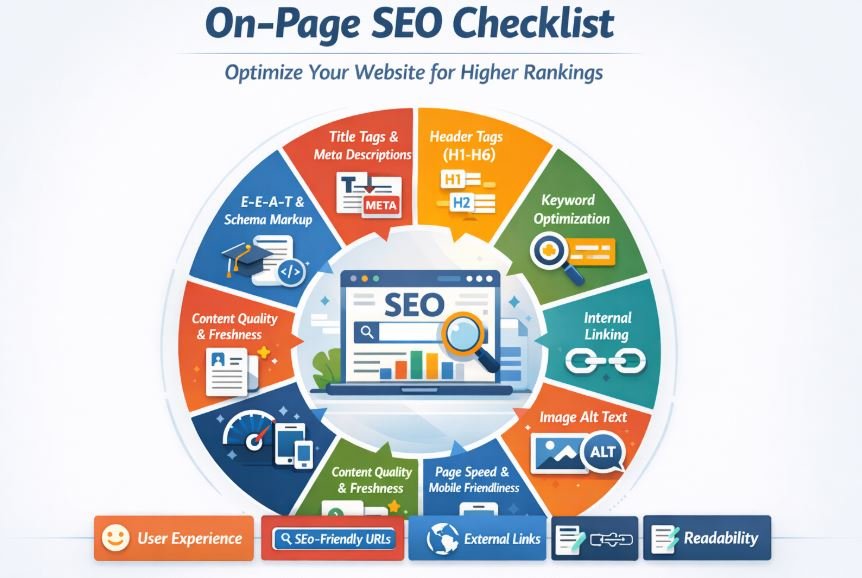
External linking is one of the most misunderstood yet powerful on-page SEO techniques. Many bloggers either overuse external links or avoid them completely—both are costly mistakes. When done correctly, external linking improves content credibility, user trust, topical authority, and even search engine rankings.
In this in-depth guide, you’ll learn how to use external linking properly in a blog post, why it matters for SEO, and how to avoid common mistakes that hurt rankings.
What Is External Linking in SEO?
External linking (also called outbound linking) is the practice of linking from your blog post to another website or domain that is not your own.
Example of an External Link
If your blog is about SEO and you link to:
-
Google Search Central
-
Moz
-
Ahrefs
-
Wikipedia (when relevant)
That link is considered an external link.
Why External Linking Is Important for SEO
Using external links correctly sends positive signals to both users and search engines.
Key SEO Benefits of External Linking
✔ Improves content credibility
✔ Helps search engines understand your topic
✔ Enhances user experience
✔ Builds topical relevance
✔ Supports E-E-A-T (Experience, Expertise, Authoritativeness, Trustworthiness)
Search engines don’t penalize you for linking out—they reward relevance and usefulness.
Before adding external and internal linking you have to know what’s the difference between On Page SEO and Off Page SEO
How to Use External Linking Properly in a Blog Post?
It’s one kind of On page SEO. Let’s break it down step by step.
Link Only to High-Authority and Relevant Websites
One of the most important external linking best practices for SEO is link quality.
Best Types of Websites to Link To:
-
Government sites (.gov)
-
Educational institutions (.edu)
-
Industry-leading blogs
-
Trusted news websites
-
Authoritative research sources
Avoid Linking To:
-
Spammy blogs
-
Low-quality affiliate sites
-
Irrelevant content
-
Link farms
Rule of thumb: If you wouldn’t trust the site yourself, don’t link to it.
Use External Links to Support Your Content (Not Replace It)
External links should add value, not distract readers.
Use External Links When:
-
Citing statistics or data
-
Supporting claims
-
Referencing expert opinions
-
Providing additional resources
Do NOT use external links to:
-
Replace your explanation
-
Send users away unnecessarily
-
Fill content gaps
Your blog post should always be self-sufficient first.
Use Descriptive and Natural Anchor Text
Anchor text plays a crucial role in how search engines interpret external links.
Good Anchor Text Examples:
-
“Google’s official SEO guidelines”
-
“According to a recent Ahrefs study”
-
“Detailed research by Moz”
Bad Anchor Text Examples
-
Click here
-
Read more
-
This link
SEO Tip: Use contextual and descriptive anchor text that clearly explains what users will find after clicking.
Open External Links in a New Tab
From a user-experience perspective, this is essential.
Why Open External Links in a New Tab?
-
Keeps users on your site longer
-
Reduces bounce rate
-
Improves engagement metrics
Best Practice:
Always set external links to target="_blank" while keeping internal links in the same tab.
Limit the Number of External Links Per Blog Post
More links ≠ better SEO.
Recommended External Link Count:
-
Short posts (1,000 words): 2–5 external links
-
Long posts (2,000+ words): 5–10 external links
Focus on relevance, not quantity.
Too many outbound links can:
-
Distract users
-
Dilute link value
-
Look unnatural to search engines
Use “Nofollow” When Necessary
Not all external links should pass SEO value.
Use rel="nofollow" for:
-
Sponsored links
-
Affiliate links
-
Paid placements
-
User-generated content
Example:
For editorial and trusted sources, use dofollow links (default).
Link to Updated and Fresh Content
Search engines prefer current and accurate information.
Best Practice:
-
Regularly audit your external links
-
Replace broken or outdated sources
-
Update links with newer research when available
Broken outbound links hurt:
-
User experience
-
SEO trust signals
-
Site credibility
Use External Links to Build Topical Authority
Strategic external linking helps Google understand what your content is about.
Example:
If your topic is technical SEO, linking to:
-
Google documentation
-
Schema.org
-
Core Web Vitals studies
…reinforces topical relevance and expertise.
This indirectly supports semantic SEO and topical clustering.
Avoid Linking to Direct Competitors Excessively
While linking to competitors occasionally is fine, overdoing it is risky.
Better Alternatives
-
Neutral industry sources
-
Research-based content
-
Independent studies
If you link to competitors:
1. Do it sparingly
2. Add your own expert insights
3. Maintain content uniqueness
Place External Links Naturally Within Content
External links should fit organically within your paragraphs.
Best Placement Areas:
-
Supporting sentences
-
Data references
-
Examples
-
Further reading sections
Avoid placing all external links:
-
At the bottom only
-
In a forced list
-
Without context
Common External Linking Mistakes to Avoid
- Over-optimizing anchor text
- Linking to irrelevant sites
- Excessive outbound links
- Ignoring broken links
- Using nofollow on all links
- Linking for SEO instead of users
External Linking vs Internal Linking (Quick Comparison)
| Factor | External Linking | Internal Linking |
|---|---|---|
| Purpose | Credibility & references | Site structure & crawlability |
| SEO Value | Indirect | Direct |
| Target | Other domains | Same website |
| Best Use | Support content | Distribute authority |
Both are essential—balance is key.
How External Linking Impacts E-E-A-T?
Google values:
-
Experience
-
Expertise
-
Authoritativeness
-
Trustworthiness
External links help by:
Showing research depth
Supporting claims with evidence
Demonstrating industry awareness
Well-researched outbound links boost perceived expertise.
Final Thoughts
Many bloggers fear losing traffic by linking out. In reality, smart external linking builds trust, authority, and long-term SEO growth.
Key Takeaways:
-
Link out with purpose
-
Choose authoritative sources
-
Keep it natural and helpful
-
Prioritize users over algorithms
When you use external linking properly in a blog post, you’re not sending visitors away—you’re earning their trust.