Search engine optimization is no longer just about adding keywords to content. In 2026, ranking on Google requires a complete strategy that includes both Technical SEO and on-page SEO.
Many website owners ask:
What is the difference between Technical SEO and on-page SEO?
The simple answer is this:
Technical SEO helps search engines access and understand your website, while on-page SEO helps them understand your content and rank it for the right keywords.
Both are essential. Without technical SEO, search engines may not crawl your site properly. Without on-page SEO, your content may not rank — even if your site is technically perfect.
In this guide, you will learn:
-
Technical SEO and on-page SEO overviews
-
The key differences explained clearly
-
A detailed comparison chart
-
A complete Technical SEO checklist
-
A complete On-Page SEO checklist
-
How both work together to improve rankings
Let’s break it down step by step.
Technical SEO and On-Page SEO Overviews
What Is Technical SEO?
Technical SEO refers to optimizing your website’s infrastructure so search engines can crawl, index, and render your pages efficiently.
In simple terms:
Technical SEO makes your website easy for Google to access and understand.
It focuses on backend elements such as:
-
Website speed
-
Mobile-friendliness
-
Site architecture
-
XML sitemaps
-
Robots.txt
-
Structured data
-
HTTPS security
Technical SEO does not focus on content quality. Instead, it ensures that your content can be discovered and indexed correctly.
Core Components of Technical SEO
Here are the main areas:
1. Crawlability
Search engines must be able to access your pages.
This involves:
-
Clean internal linking
-
Updated XML sitemap
-
Proper robots.txt configuration
2. Indexability
Even if Google crawls a page, it may not index it.
Important elements:
-
Canonical tags
-
Noindex tags
-
Duplicate content handling
3. Website Speed & Core Web Vitals
A slow site hurts rankings.
You must optimize:
-
Page load time
-
Image sizes
-
Server response time
4. Mobile Optimization
Google uses mobile-first indexing.
Your site must:
-
Be responsive
-
Pass mobile usability tests
5. Structured Data
Schema markup helps search engines understand content better and display rich results.
What Is On-Page SEO?
On-page SEO refers to optimizing individual pages to improve rankings and user experience.
In simple terms:
On-page SEO helps search engines understand what your content is about and why it should rank.
It focuses on:
-
Keywords
-
Content quality
-
Title tags
-
Meta descriptions
-
Headers
-
Internal links
-
User experience
Unlike technical SEO, on-page SEO is visible to users.
Core Components of On-Page SEO
1. Keyword Optimization
-
Focus keyword placement
-
Semantic keywords
-
Search intent alignment
2. Title Tags & Meta Descriptions
-
Compelling and optimized titles
-
Clear meta descriptions under 160 characters
3. Content Quality
-
Original
-
Helpful
-
Comprehensive
-
Well-structured
4. Internal Linking
-
Linking to relevant pages
-
Using descriptive anchor text
5. Image Optimization
-
Proper alt text
-
Compressed images
-
Keyword-friendly file names
What Is the Difference Between Technical SEO and On-Page SEO?
Here is the direct answer:
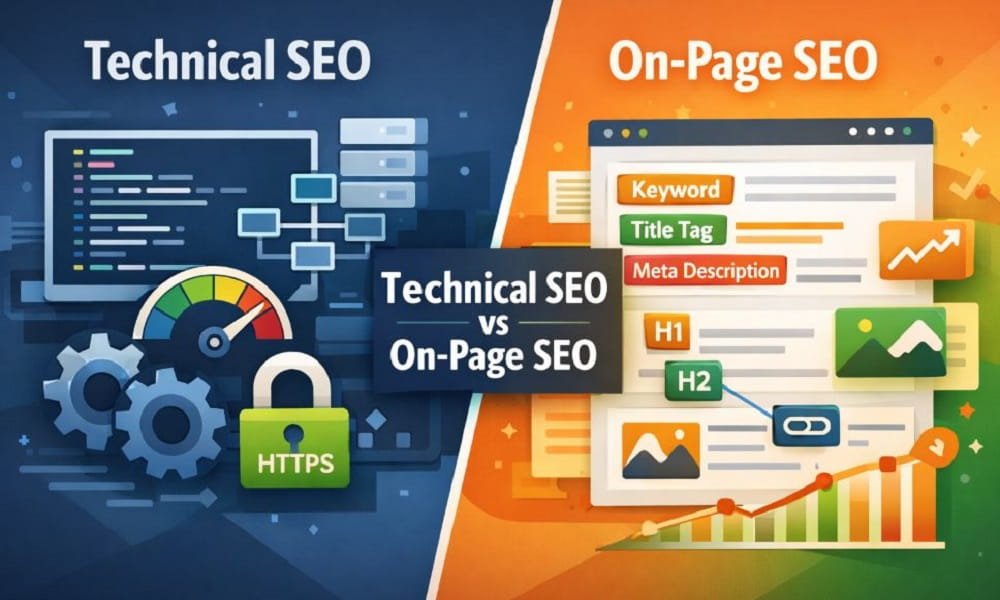
Technical SEO focuses on optimizing your website’s infrastructure so search engines can crawl and index it efficiently. On-page SEO focuses on optimizing content elements to improve relevance and rankings for specific keywords.
Let’s compare them clearly:
-
Technical SEO = Website foundation
-
On-page SEO = Content optimization
-
Technical SEO affects crawlability
-
On-page SEO affects relevance
You need both to succeed.
Read also: Old SEO VS New SEO
Technical SEO vs On-Page SEO Comparison Chart
| Feature | Technical SEO | On-Page SEO |
|---|---|---|
| Focus | Website infrastructure | Content & page elements |
| Main Goal | Improve crawling & indexing | Improve keyword relevance |
| Visibility | Mostly backend | Visible to users |
| Key Elements | Sitemap, speed, schema | Content, titles, keywords |
| Tools Used | GSC, Screaming Frog | Surfer SEO, Yoast |
| Impact Speed | Medium to long-term | Faster visible impact |
| Skill Required | Technical knowledge | Content & SEO strategy |
Complete Technical SEO Checklist (2026)
Use this actionable checklist:
Crawlability
-
Ensure XML sitemap is submitted
-
Check robots.txt file
-
Fix broken links
-
Improve internal linking
Indexability
-
Remove unwanted noindex tags
-
Set proper canonical URLs
-
Fix duplicate content
Site Performance
-
Improve Core Web Vitals
-
Compress images
-
Use caching
-
Minify CSS & JavaScript
Mobile Optimization
-
Responsive design
-
Mobile-friendly test passed
Security
-
HTTPS enabled
-
SSL certificate active
Structured Data
-
Add schema markup
-
Validate with Rich Results Test
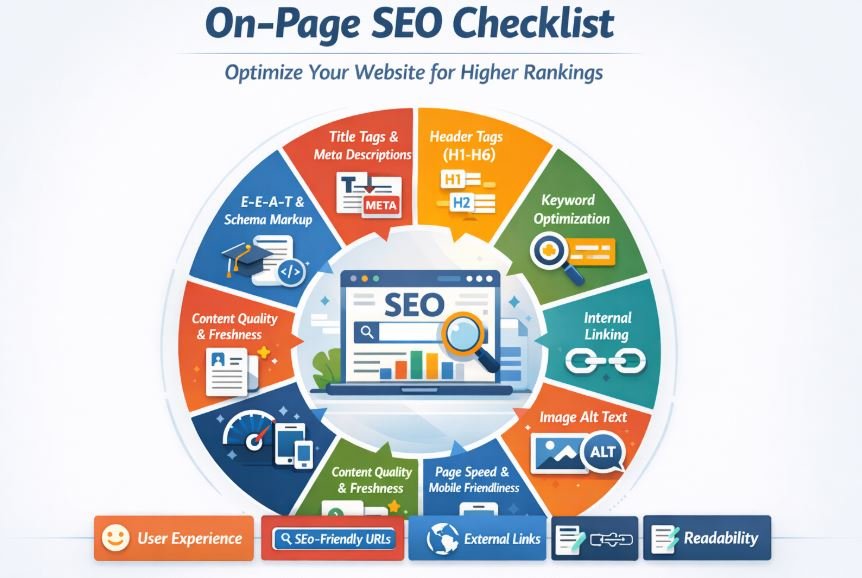
Complete On-Page SEO Checklist (2026)
Keyword Optimization
-
Include focus keyword in title
-
Use keyword in first 100 words
-
Add LSI keywords naturally
Title & Meta
-
Title under 60 characters
-
Meta description under 160 characters
-
Include emotional trigger words
Content Structure
-
Use H1, H2, H3 properly
-
Short paragraphs
-
Bullet points for readability
Internal Linking
-
Add 3–5 relevant internal links
-
Use descriptive anchor text
Media Optimization
-
Add alt text
-
Compress images
-
Use WebP format
User Experience
-
Improve readability
-
Add FAQs
-
Use engaging CTAs
Which Is More Important?
Many people ask whether technical SEO or on-page SEO is more important.
The truth is:
You cannot choose one over the other.
If your site is technically broken, your content will not rank.
If your content is weak, technical perfection will not save you.
SEO works like this:
Technical SEO builds the house. On-page SEO decorates and fills it with value.
How Technical SEO and On-Page SEO Work Together?
Here’s the flow:
-
Google crawls your website (Technical SEO)
-
Google indexes your pages (Technical SEO)
-
Google analyzes your content (On-page SEO)
-
Google ranks your page (Both combined)
Without synergy, rankings suffer.
Common Mistakes to Avoid
-
Ignoring technical audits
-
Keyword stuffing
-
Publishing thin content
-
Slow website speed
-
Poor internal linking
-
Duplicate meta titles
Best Tools for Technical and On-Page SEO
Technical SEO Tools
-
Google Search Console
-
Screaming Frog
-
SEMrush Site Audit
-
Ahrefs Site Audit
-
PageSpeed Insights
On-Page SEO Tools
-
Surfer SEO
-
Rank Math
-
Yoast SEO
-
Clearscope
-
Grammarly
FAQs
Is Technical SEO harder than On-Page SEO?
Technical SEO can be more complex because it involves backend elements and coding knowledge.
Can you rank without Technical SEO?
It is difficult. Poor technical setup limits crawling and indexing.
How often should I do a technical audit?
At least every 3–6 months.
Does page speed fall under Technical SEO?
Yes, page speed is a core technical ranking factor.
Conclusion
Understanding Technical SEO vs on-page SEO is crucial for long-term ranking success.
Technical SEO ensures your website works properly for search engines.
On-page SEO ensures your content deserves to rank.
When combined, they create a powerful SEO strategy that improves visibility, traffic, and conversions.