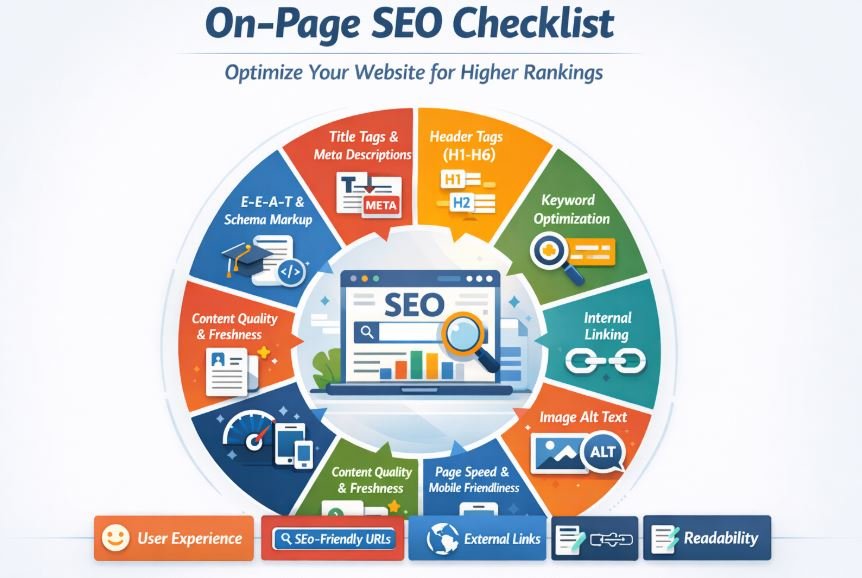
If you publish blog posts regularly but your website still struggles to rank, you might be missing one powerful SEO factor: internal linking.
Many website owners focus on backlinks, keywords, and content length. But they often ignore internal links — even though they play a huge role in how Google discovers, understands, and ranks your pages.
So, why are internal links important for SEO?
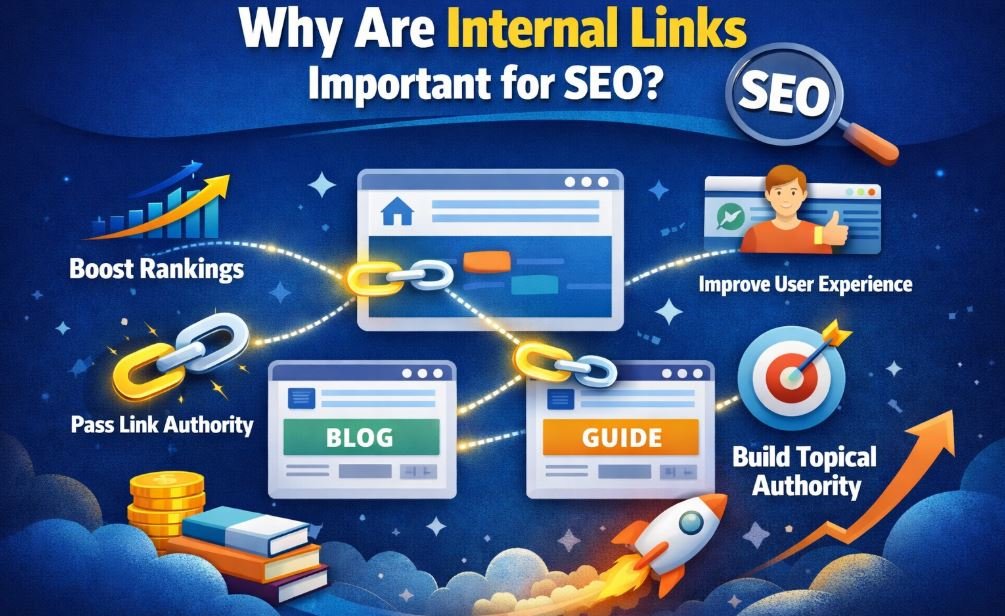
In simple terms, internal links:
-
Help Google find your pages
-
Pass authority between pages
-
Improve user experience
-
Increase time on site
-
Strengthen topical authority
In this complete guide, you’ll learn:
-
What are internal links
-
Types of internal links
-
Internal links examples
-
How many internal links per page for SEO
-
How to create internal links in HTML
-
Best practices and common mistakes
Let’s start from the basics.
What Are Internal Links?
Internal links are hyperlinks that connect one page of a website to another page on the same website.
For example:
-
Your homepage linking to your blog page
-
A blog post linking to another related blog post
-
A service page linking to a pricing page
If the link stays inside your domain, it is an internal link.
Simple Internal Links Example
Imagine you write this sentence inside a blog post:
If you want better rankings, read our complete keyword research guide.
The phrase “keyword research guide” links to another article on your website. That’s an internal link.
Types of Internal Links
Not all internal links are the same. Understanding their types helps you use them strategically.
1. Navigational Links
These are links in:
-
Main menu
-
Header
-
Sidebar
-
Breadcrumbs
They help users move around your site easily.
2. Contextual Links (Most Important for SEO)
Contextual links appear inside the main content of a page.
Example:
Inside a blog about on-page SEO, you link to another article about technical SEO.
These links are powerful because:
-
They are surrounded by relevant content
-
They send strong keyword signals
-
Google values them more than footer links
3. Footer Links
Footer links appear at the bottom of your site.
They usually include:
-
Privacy Policy
-
Contact page
-
Important categories
While useful, they are less powerful than contextual links.
4. Image Links
Sometimes images link to other pages.
For example:
-
A banner linking to a service page
-
A product image linking to its detail page
Make sure image links include proper alt text for SEO.
Why Are Internal Links Important for SEO?
Now let’s answer the main question clearly and deeply.
1. They Help Google Discover and Index Pages
Google uses bots (Googlebot) to crawl websites. These bots follow links.
If a page has no internal links pointing to it, it becomes an “orphan page.” Orphan pages are hard for Google to find.
Internal links ensure:
-
Every important page gets discovered
-
Google crawls your site efficiently
-
New posts get indexed faster
Without internal links, even great content may never rank.
2. They Distribute Link Equity (Link Juice)
When one of your pages has backlinks and authority, it holds SEO power.
Internal links allow you to pass that power to other pages.
For example:
If your homepage has strong backlinks, linking from it to a new blog post helps boost that blog’s ranking potential.
This strategic distribution of authority is one of the biggest reasons internal links matter.
3. They Improve Keyword Relevance
Anchor text (the clickable words) tells Google what the linked page is about.
If you consistently link using descriptive anchor text like:
-
“technical SEO checklist”
-
“best keyword research tools”
Google understands the topic of the destination page better.
This improves:
-
Semantic relevance
-
Topical signals
-
Ranking potential
Avoid generic anchors like “click here.”
4. They Improve User Experience
SEO is not just about Google. It’s about users.
Internal links:
-
Help users find related content
-
Keep visitors engaged
-
Reduce bounce rate
-
Increase page views
If someone reads your blog about SEO basics, they may also want:
-
Keyword research guide
-
On-page SEO checklist
-
Technical SEO tips
Internal links guide them naturally.
5. They Increase Time on Site
When users click internal links:
-
They stay longer
-
They explore more
-
They trust your content more
These positive user signals may indirectly improve rankings.
6. They Help Build Topical Authority
If you create multiple articles around one topic and link them together, you create a content cluster.
Example:
-
Pillar page: Complete SEO Guide
-
Cluster pages:
-
Keyword research
-
On-page SEO
-
Technical SEO
-
Link building
-
When all these pages link to each other strategically, Google sees your site as an authority on SEO.
This boosts rankings across the entire topic.
How Many Internal Links Per Page for SEO?
There is no fixed number.
However, a good guideline is:
-
3–10 contextual internal links per 1,000 words
But the real rule is:
Relevance matters more than numbers.
Large websites may use 50+ links naturally. That’s fine if they are useful.
Avoid:
-
Overstuffing links
-
Linking every sentence
-
Forcing exact match anchors
Ask yourself:
Does this link help the reader?
If yes, add it.
Internal Links Example (Practical Strategy)
Let’s say you have three articles:
-
What Is On-Page SEO?
-
Keyword Research Guide
-
Technical SEO Checklist
Smart linking strategy:
-
On-Page SEO article links to keyword research and technical SEO
-
Keyword research links back to On-Page SEO
-
Technical SEO links to both
Now Google sees:
These pages are related. They support each other.
This strengthens all three pages.
How to Create Internal Links in HTML?
Creating internal links is simple.
Here is the basic HTML structure:
Explanation:
-
<a>= anchor tag -
href= link destination -
“SEO Guide” = anchor text
You can also use relative URLs:
Best practices:
-
Use descriptive anchor text
-
Avoid “read more”
-
Keep it natural
-
Do not over-optimize
If you use WordPress, you can simply highlight text and click the link button.
Internal Linking Best Practices
Use Topic Clusters
Create one main pillar page and multiple supporting pages.
Link them strategically.
Link from High Authority Pages
Find your top-performing pages.
Add links from them to newer important pages.
Keep Important Pages Within 3 Clicks
Users and search engines should not need many clicks to find key pages.
Update Old Content
Go back to old articles and add links to new ones.
This improves crawl efficiency and ranking.
Fix Broken Internal Links
Broken links hurt user experience.
Use tools to audit and fix them.
Someone wants to know on How to Use External Linking Properly in a Blog Post? After completing internal linking then you have to know the use of external linking in a blog post.
Common Internal Linking Mistakes
Avoid these mistakes:
-
Overusing exact match keywords
-
Linking to irrelevant pages
-
Ignoring orphan pages
-
Adding too many footer links
-
Using generic anchor text
Internal linking should feel natural, not forced.
Read also more related topics: Why Is Search Engine Optimization Important to a Business?
Internal Links vs External Links
Internal Links:
-
Connect pages inside your site
-
Help structure your website
-
Improve crawlability
External Links:
-
Connect to other websites
-
Build trust and credibility
-
Provide references
Both are important, but internal links give you full control.
Frequently Asked Questions
What are internal links in SEO?
Internal links are links that connect pages within the same website.
How many internal links per page SEO?
There is no fixed number, but 3–10 per 1,000 words is a good guideline.
Do internal links help rankings?
Yes. They improve crawling, authority distribution, and relevance.
Are footer links good for SEO?
They help navigation but are less powerful than contextual links.
Conclusion
So, why are internal links important for SEO?
Because they:
-
Help Google discover pages
-
Pass authority
-
Improve relevance
-
Enhance user experience
-
Build topical authority
If you ignore internal linking, you are leaving rankings on the table.
Start auditing your site today. Add smart, relevant internal links. Over time, you will see stronger rankings and better engagement.