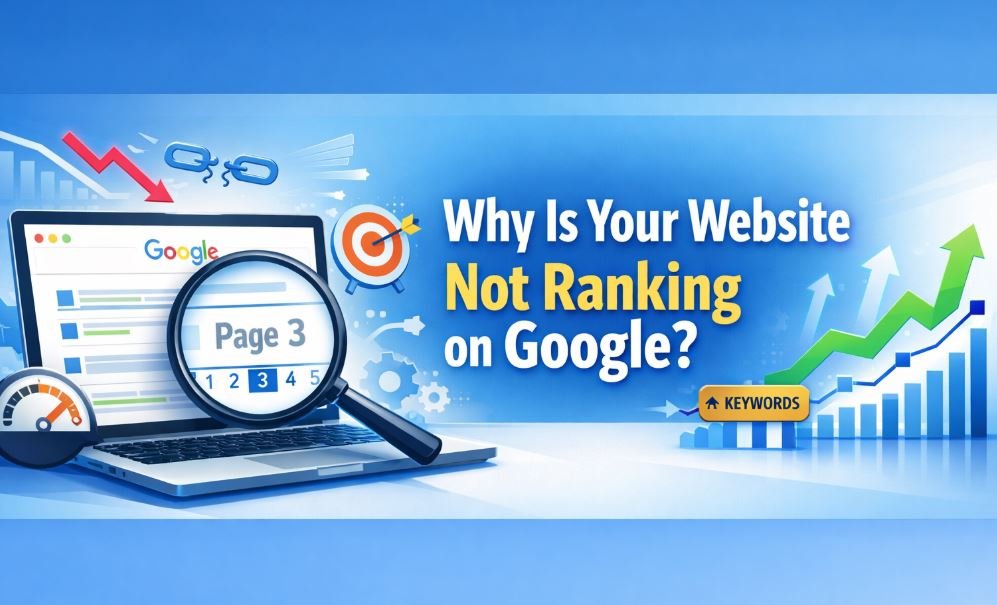
Launching a website is exciting. Do you know Why Is Your Website Not Ranking on Google? You spend time designing pages, writing content, and publishing articles. But after weeks or even months, you search for your site on Google and… nothing appears.
This situation is extremely common. Many website owners wonder:
-
Why is my website not ranking on Google?
-
Why is my website not showing up in Google search results?
-
How can I get my website on the first page of Google for free?
The truth is that Google ranking depends on many factors. These include technical SEO, content quality, backlinks, keyword optimization, and user experience.
If even one of these elements is missing, your website may struggle to rank.
In this complete guide, you will learn:
-
The most common reasons websites fail to rank
-
How Google actually ranks pages
-
Simple ways to fix ranking problems
-
How to get your website on the first page of Google
By the end of this article, you will clearly understand why your website is not ranking on Google and what you can do to fix it.
Understanding How Google Ranking Works
Before fixing ranking problems, it is important to understand how Google works.
Google does not instantly display every website online. Instead, it follows a three-step process.
1. Crawling
Google uses automated programs called crawlers or bots to scan the internet and discover new pages.
These bots follow links from one page to another and collect information about each page they visit.
If Google cannot crawl your website, it cannot rank it.
2. Indexing
After crawling your page, Google decides whether the page should be stored in its search index.
The index is like a massive database of webpages.
If your page is not indexed, it will never appear in search results.
You can check the indexing status using
Google Search Console.
3. Ranking
Once your page is indexed, Google decides where it should appear in search results.
Ranking depends on several factors, including:
-
Content relevance
-
Keyword optimization
-
Backlinks
-
Website authority
-
User experience
-
Page speed
The better your page performs in these areas, the higher it will rank.
The Most Common Reasons Your Website Is Not Ranking on Google
Now, let’s explore the most common reasons websites fail to rank.
1. Your Website Is Not Indexed
One of the most common issues is that Google has not indexed your website yet.
This can happen when:
-
Your website is new
-
No sitemap is submitted.
-
Robots.txt blocks search engines.
-
Pages are set to “noindex.”
How to Fix It
Follow these steps:
-
Verify your website in
Google Search Console -
Submit your XML sitemap
-
Request indexing for important pages
Once indexed, Google can start ranking your pages.
2. Your Website Is Too New
If your website is new, ranking may take time.
Search engines prefer trusted and established websites.
New sites often experience a delay called the Google sandbox period, where rankings remain low until the site proves its value.
What You Should Do
Focus on:
-
Publishing helpful content regularly
-
Building backlinks
-
Improving user experience
Most websites begin ranking within 3–6 months.
3. Poor Keyword Targeting
Another major reason websites fail to rank is targeting the wrong keywords.
For example, trying to rank for extremely competitive keywords can be difficult for new websites.
Instead of broad keywords, focus on long-tail keywords, such as:
-
Why is my website not ranking on Google?
-
How to make your website show up on Google first
-
How to get on google first page for free
Long-tail keywords have lower competition and higher ranking chances.
4. Weak or Thin Content
Google prioritizes helpful and detailed content.
If your content is:
-
Too short
-
Poorly written
-
Duplicate
-
Not helpful
Then Google will not rank it.
How to Improve Content?
Good SEO content should:
-
Answer user questions clearly.
-
Include relevant keywords
-
Provide detailed explanations
-
Be at least 1000–2000 words.A
High-quality content builds trust with both readers and search engines.
5. Lack of Backlinks
Backlinks remain one of the strongest ranking factors.
A backlink is when another website links to your content.
Google views backlinks as votes of confidence.
The more high-quality links you have, the more authority your website gains.
Ways to Build Backlinks
You can build backlinks through:
-
Guest posting
-
Resource link building
-
Blog outreach
-
Digital PR
Quality matters more than quantity.
6. Technical SEO Problems
Technical issues can prevent your website from ranking properly.
Common technical SEO problems include:
-
Slow loading speed
-
Broken links
-
Poor mobile design
-
Incorrect redirects
You can check these issues using tools like:
-
Google PageSpeed Insights
-
Ahrefs
-
SEMrush
Fixing technical SEO problems often leads to quick ranking improvements.
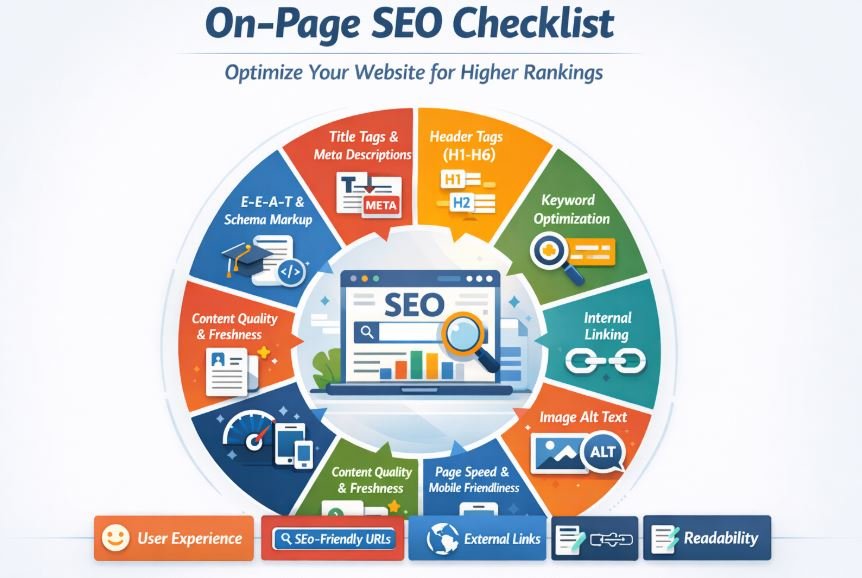
7. Poor On-Page SEO
On-page SEO refers to optimizing individual pages on your website.
If you ignore on-page SEO, Google may struggle to understand your content.
Important elements include:
-
Title tags
-
Meta descriptions
-
Header tags (H1, H2, H3)
-
Image alt text
-
Internal linking
Proper on-page optimization helps search engines understand your page better.
8. High Keyword Competition
Sometimes websites fail to rank simply because the competition is too strong.
For example, trying to rank for keywords like:
-
best hosting
-
digital marketing agency
can be extremely difficult.
Instead, focus on low-competition keywords first.
As your authority grows, you can target more competitive keywords.
9. Google Penalties
Google may penalize websites that violate its guidelines.
Common causes include:
-
Spam backlinks
-
Keyword stuffing
-
Duplicate content
-
Hidden text
You can check penalties in
Google Search Console.
If your site has a penalty, you must fix the issues before rankings recover.
10. Poor User Experience
Google increasingly focuses on user experience.
If visitors quickly leave your website, Google assumes the page is not helpful.
Key UX factors include:
-
Page speed
-
Mobile friendliness
-
Easy navigation
-
Clear layout
Improving user experience can boost rankings and engagement.
Read also more related topics: Technical SEO vs On-Page SEO
Why Are Internal Links Important for SEO?
Why Is Search Engine Optimization Important to a Business?
How to Make Your Website Show Up on Google
If your website is not appearing on Google, follow these steps.
1. Submit Your Website to Google
The first step is submitting your site using
Google Search Console.
Steps include:
-
Verify ownership of your website
-
Submit your XML sitemap
-
Request indexing for pages
This helps Google discover your site faster.
2. Optimize Your Website for SEO
Basic SEO optimization includes:
-
Writing keyword-focused titles
-
Creating descriptive meta descriptions
-
Using headings correctly
-
Adding internal links
These improvements make your pages easier for search engines to understand.
3. Publish High-Quality Content
Content remains the foundation of SEO.
Focus on writing:
-
Helpful guides
-
Detailed tutorials
-
Problem-solving articles
Long-form content often ranks better because it provides more value to readers.
4. Build High-Quality Backlinks
Backlinks improve your website’s authority.
Focus on earning links from:
-
Blogs
-
News websites
-
Industry resources
-
Online directories
Avoid buying spam links, as they can harm your rankings.
How to Get on Google First Page for Free
Many people believe ranking on Google requires paid advertising.
However, you can reach the first page without spending money by following smart SEO strategies.
Focus on Low-Competition Keywords
Choose keywords with low competition but good search demand.
Optimize for Featured Snippets
Provide clear answers and structured content so Google can feature your page.
Improve Page Speed
Fast websites rank better and provide a better user experience.
Use Internal Linking
Linking your articles together helps search engines understand your site structure.
Update Old Content
Refreshing outdated articles can significantly improve rankings.
SEO Checklist to Fix Ranking Problems
Use this quick checklist to identify problems:
- Submit sitemap to Google
- Fix technical SEO issues
- Improve content quality
- Target long-tail keywords
- Build backlinks
- Optimize page speed
- Improve mobile usability
Following this checklist can greatly improve your chances of ranking.
SEO Tools to Check Why Your Website Is Not Ranking
Several tools can help diagnose ranking problems.
Useful SEO tools include:
-
Google Analytics
-
Ahrefs
-
SEMrush
-
Ubersuggest
These tools provide insights about:
-
Keywords
-
Traffic
-
Backlinks
-
Technical issues
Using them regularly helps you track SEO progress.
Frequently Asked Questions
Why is my website not ranking on Google even after indexing?
If your site is indexed but not ranking, the problem may be:
-
Low-quality content
-
Lack of backlinks
-
High keyword competition
-
Weak on-page SEO
Improving these factors can boost rankings.
Why is my website not ranking on Google account?
Sometimes website owners confuse ranking issues with account issues.
Usually the problem is related to:
-
Incorrect Search Console setup
-
Pages not indexed
-
Technical SEO errors
Checking your site in Google Search Console can reveal the problem.
How long does it take for a website to rank on Google?
Most websites begin ranking within 3–6 months.
However, highly competitive industries may take 6–12 months or longer.
Consistency and quality are key to long-term success.
Conclusion
If your website is not ranking on Google, the problem is usually related to SEO fundamentals.
The most common causes include:
-
Pages not indexed
-
Weak content
-
Lack of backlinks
-
Technical SEO problems
-
Poor keyword targeting
The good news is that these issues can be fixed.
By improving your content, optimizing your website, and building authority, your rankings can gradually increase.
SEO takes time, but with the right strategy, any website can grow and reach the first page of Google.